
Keep the execution record
Capture the trade so review starts from the actual fill instead of memory.
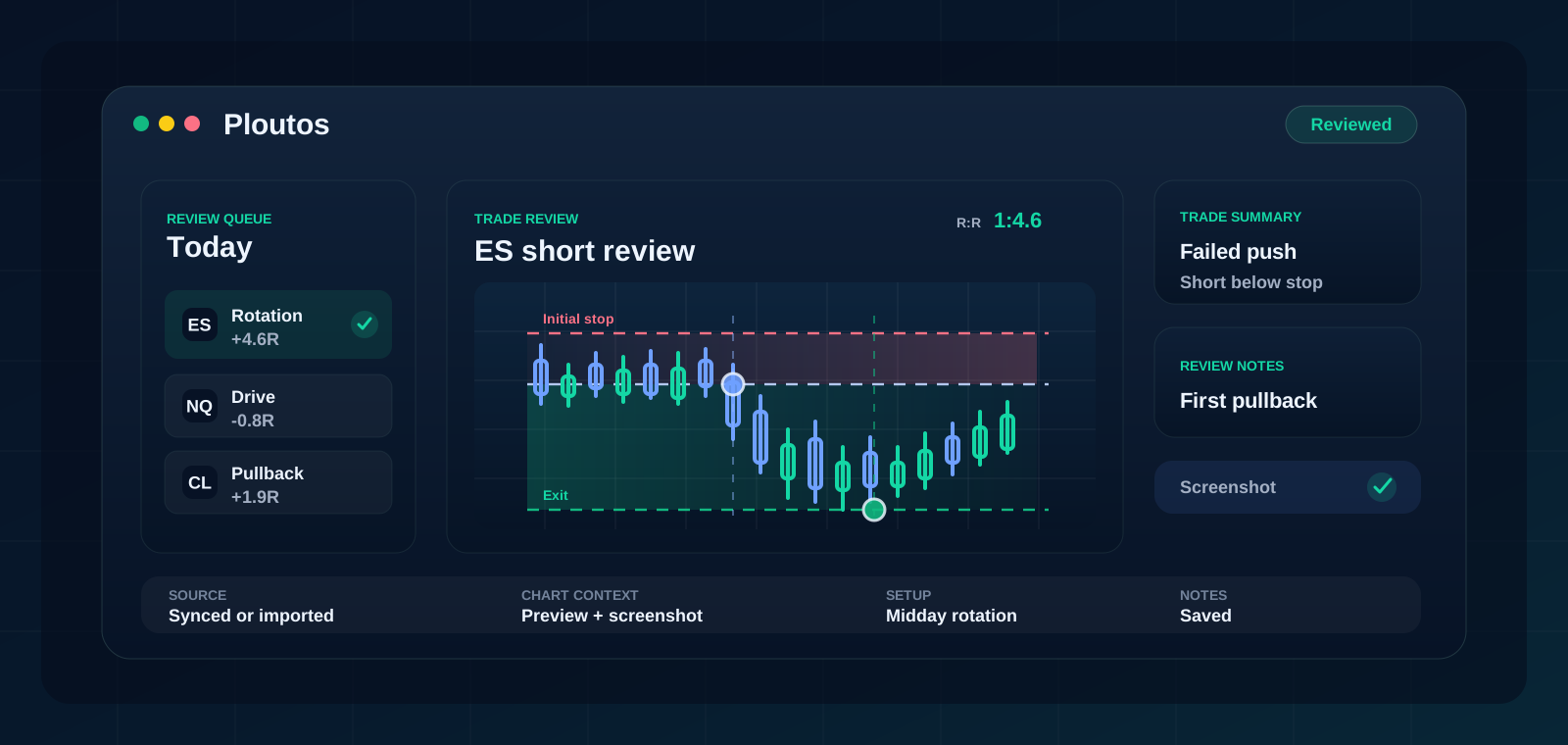
Ploutos gives NinjaTrader traders a review-first journal where executions, chart context, screenshots, notes, setup, risk, and review state stay together after the session.
Review-first
NinjaTrader traders often already have a serious execution setup. Ploutos is built for the follow-through: logging, reviewing, and learning from the trade record.
Instead of scattering notes, screenshots, and trades across different places, Ploutos keeps the record together. That makes it easier to answer the practical questions after each session: what setup did I trade, where was the risk, did the exit match the plan, and what keeps repeating?
Use case
Capture the trade so review starts from the actual fill instead of memory.
Use chart previews and screenshots to see the setup and the trade management in context.
Use setup, tags, review state, and account-level views to find the behavior that repeats.
Comparison
| Area | NinjaTrader workflow | Ploutos journal workflow |
|---|---|---|
| Primary job | Trading platform and execution environment. | Post-session review, decision context, and performance patterns. |
| Trade context | Execution history lives around the trading workflow. | Trade, chart context, screenshot, notes, risk, and review state live together. |
| Improvement loop | Depends on how consistently you export or summarize trades. | Review queue and dashboard views keep the habit close to the record. |
Questions
Yes. NinjaTrader uses the same trade-history connection path as Tradovate in Ploutos.
Ploutos describes NinjaTrader as a trading platform connection path, not as a brokerage.
Yes. Screenshots can be attached to trades so the review reflects what you were seeing.
Yes. Manual entry and CSV import let you start before connecting a supported account path.
Related pages
Start with a free Ploutos workspace, then upgrade when you want supported sync and deeper review history.
Start free