
Bring in the trade
Use Tradovate sync, CSV import, or manual entry depending on how you want to start.
Ploutos turns Tradovate execution history into a calmer review workflow where chart context, screenshots, notes, setup, risk, and review state stay attached to the trade.
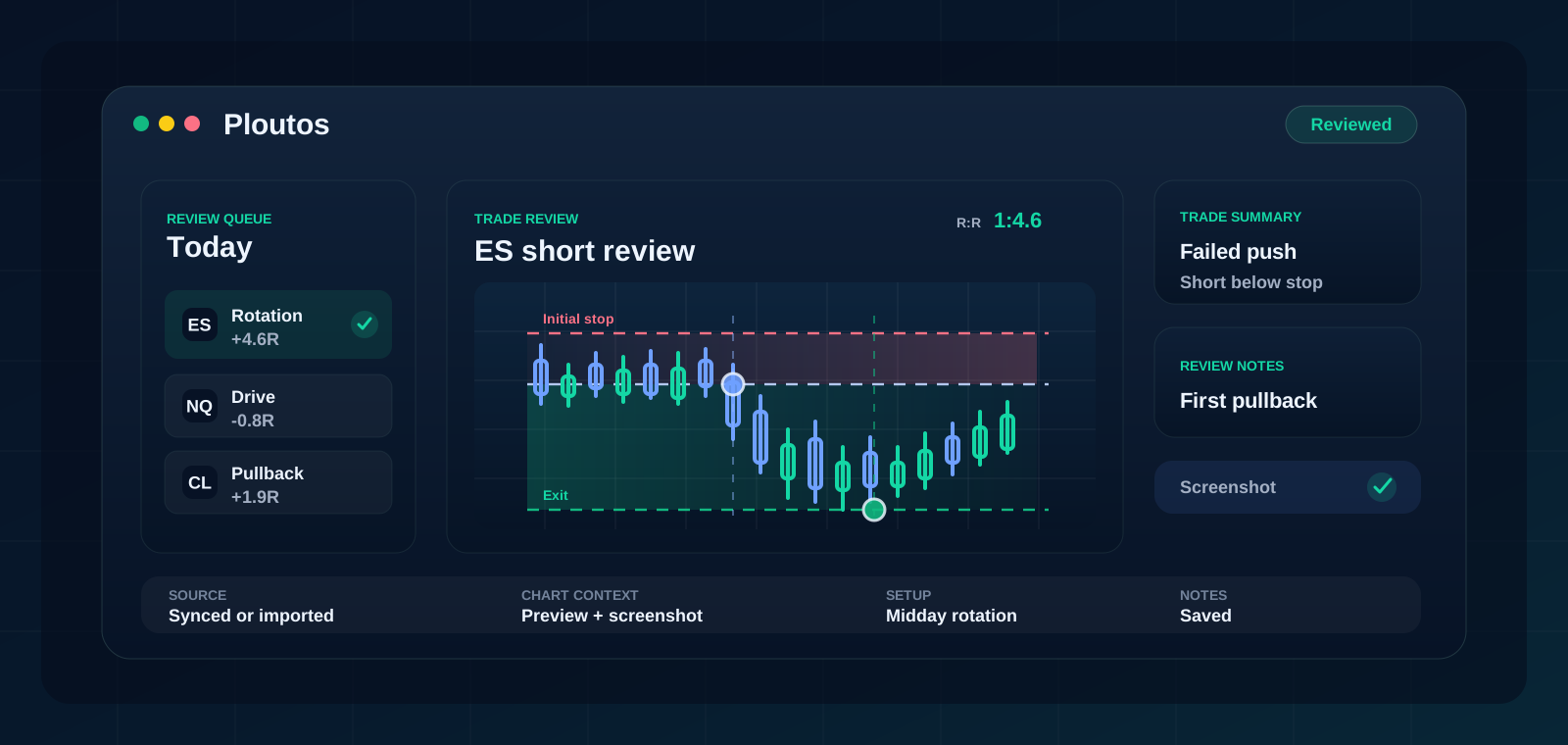
Clarity after execution
Tradovate can handle the execution workflow. Ploutos helps with the harder habit: reviewing what happened and deciding what should change.
With Tradovate sync, the trade record can arrive without rebuilding it by hand. From there, Ploutos keeps the review focused on the questions that matter: where was the planned risk, what was the setup, what did the chart show, and what should be repeated or avoided next time?
Review loop
Use Tradovate sync, CSV import, or manual entry depending on how you want to start.
Chart preview, screenshot, entry, stop, exit, notes, and risk stay on the trade you are judging.
Performance views help you see whether certain markets, setups, or behaviors deserve more attention.
Fit
The value is not just that the trade appears. It is that the trade becomes easy to review before the memory disappears.
| Question | What Ploutos keeps close | Why it matters |
|---|---|---|
| What was the trade? | Market, side, quantity, entry, stop, exit, account, and result. | The review starts from the actual execution, not a rebuilt memory. |
| Why did you take it? | Setup, notes, screenshot, tags, and chart context. | The decision can be judged beside the chart you were trading. |
| What changes? | Review state, rating, pattern views, and dashboard context. | The journal becomes a feedback loop instead of a graveyard of fills. |
Questions
Yes. Tradovate automatic sync is supported for connected accounts.
NinjaTrader uses the same trade-history connection path as Tradovate inside Ploutos.
Yes. Free is useful for proving the journal workflow with recent trades before upgrading for supported sync and deeper history.
Yes. Screenshots can stay attached to the reviewed trade along with notes and chart context.
Related pages
Start free, then upgrade when you want supported sync, deeper history, and more account coverage.
Start free